Error monitoring - original creator workflow
12 nodes · 8 non-note nodes
Open read-only HTML explorer →Download explicitly sanitized review JSON
Built systems
ErrorLens gives teams a clear place to investigate workflow failures. Execution details, severity, suggested next steps and incident ownership sit together, while logging and Slack alert paths bring the failure context into the team’s daily operating rhythm.
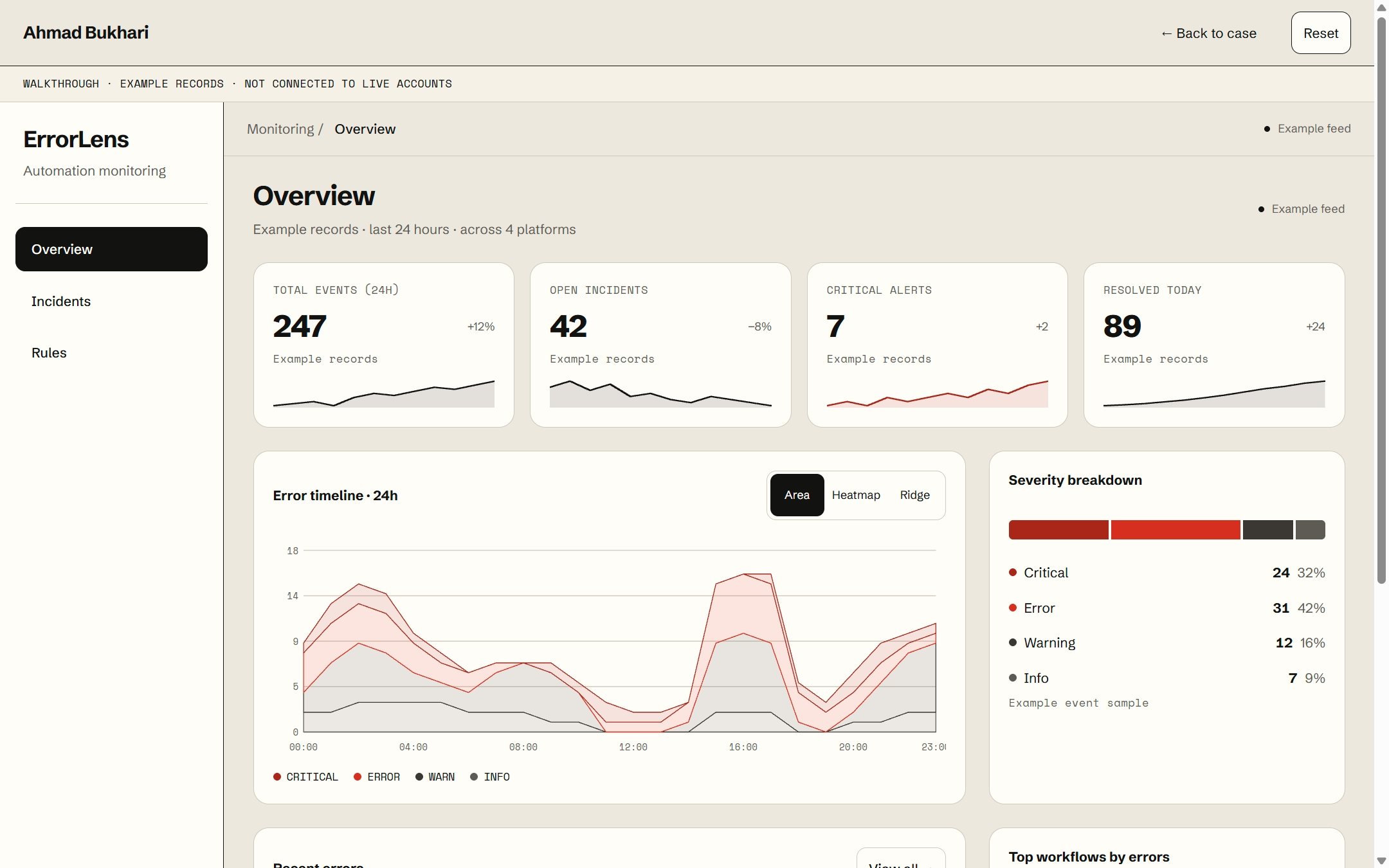
Local interface with incidents; not current client failures.
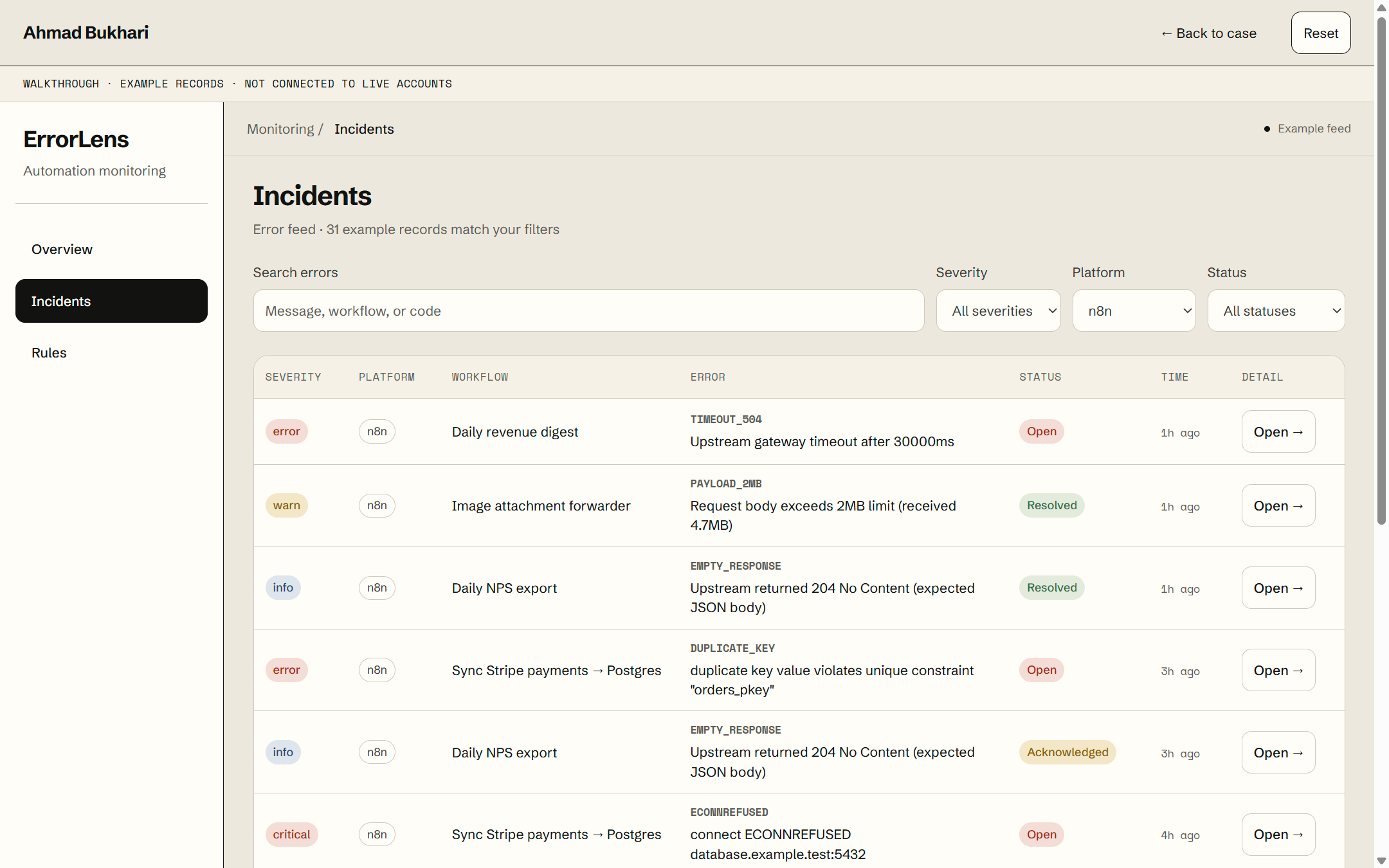
Local filters and incident records.
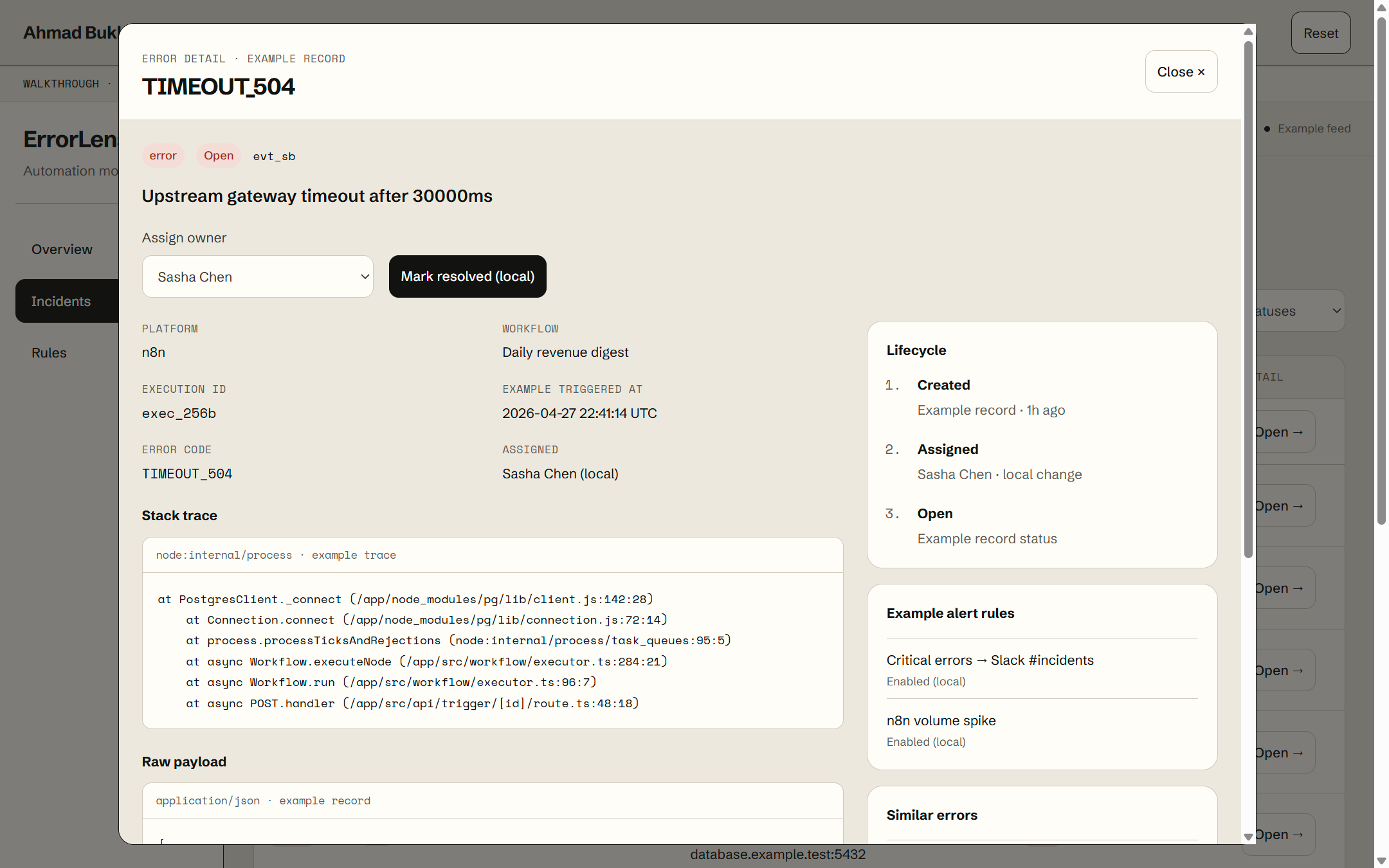
Local ownership and resolved-state controls do not prove destination repair.
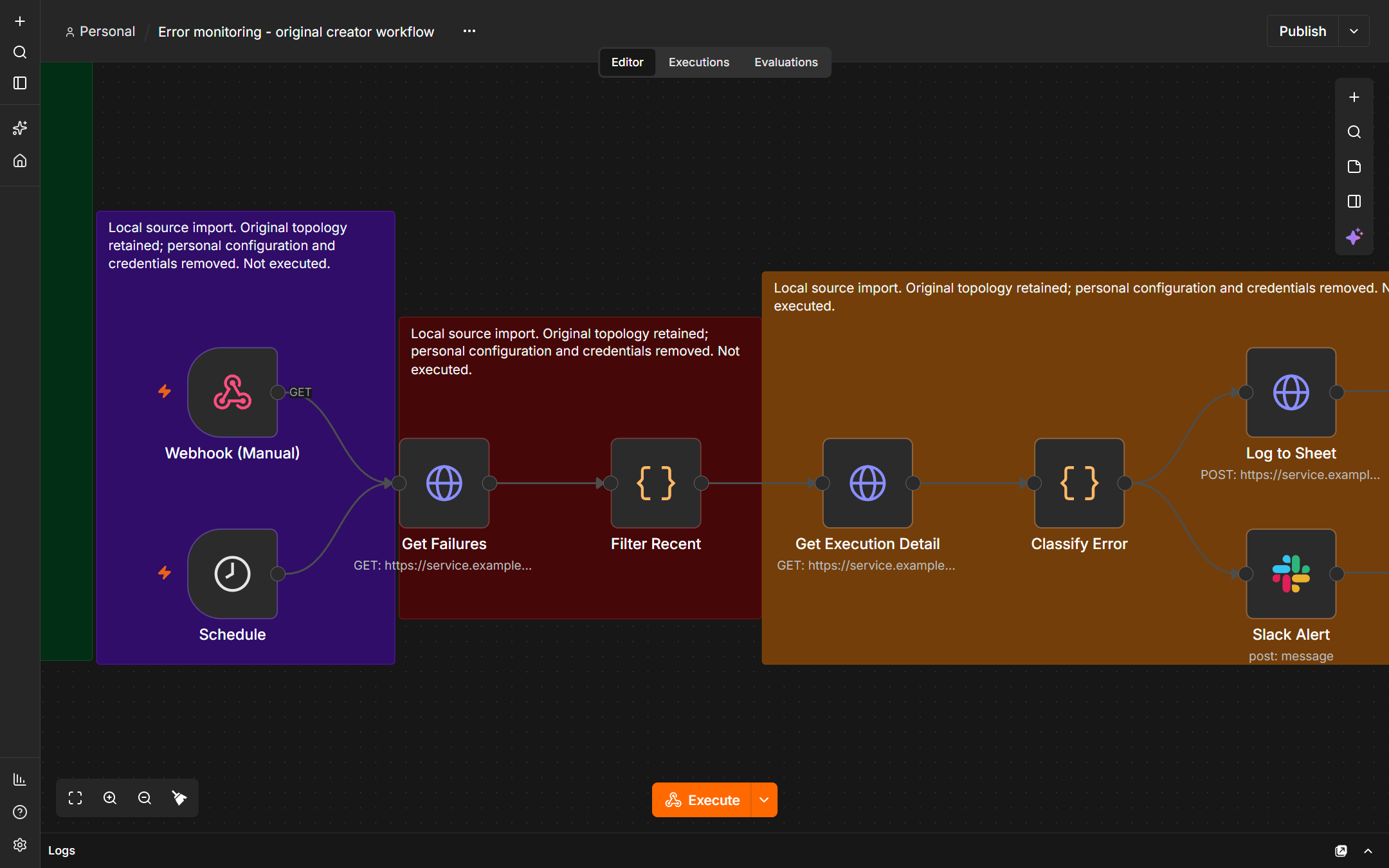
Published creator JSON imported into the local editor. Inactive; no credentials or executions.
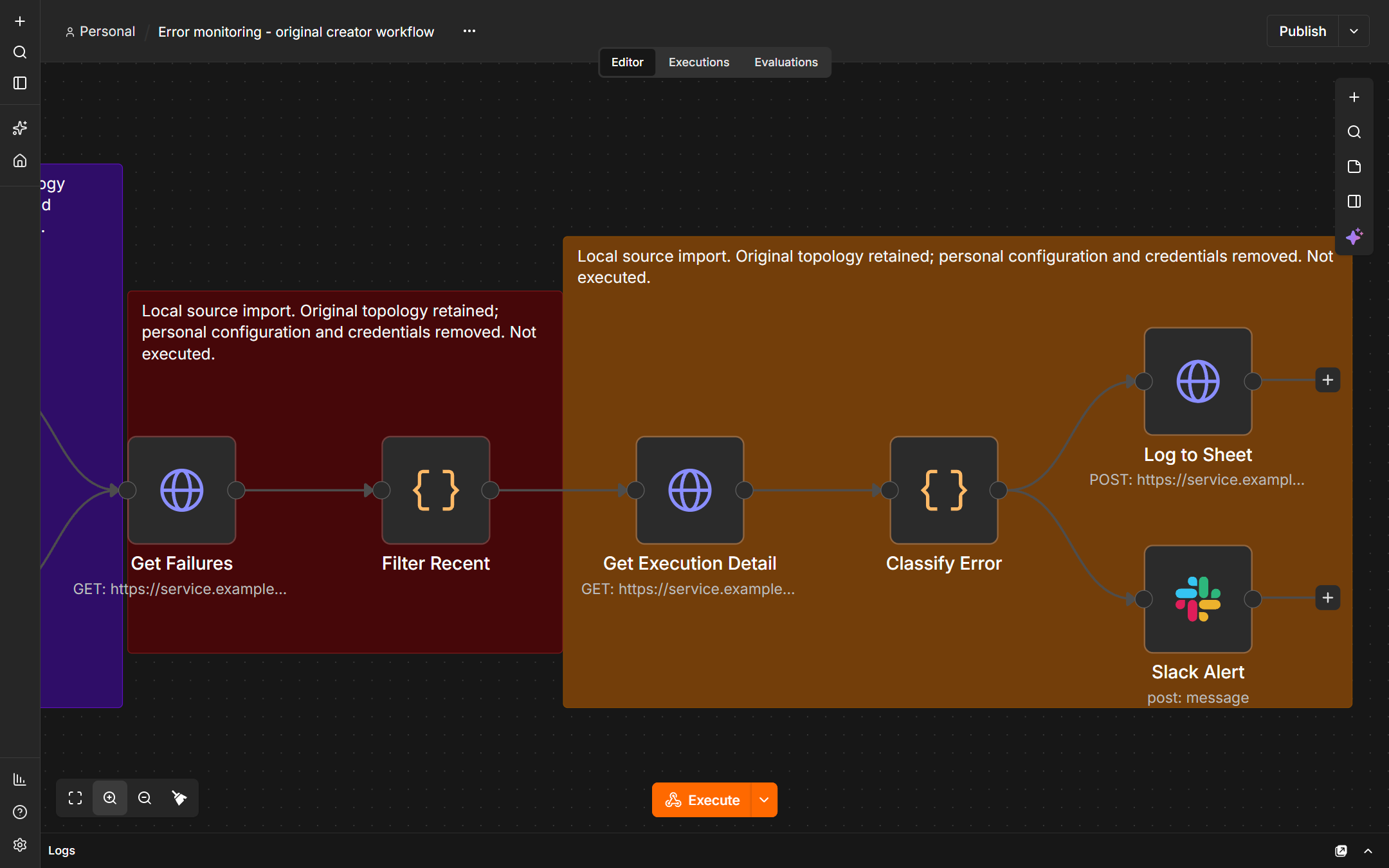
Native local source detail. Log to Sheet uses the Google Sheets HTTP API.
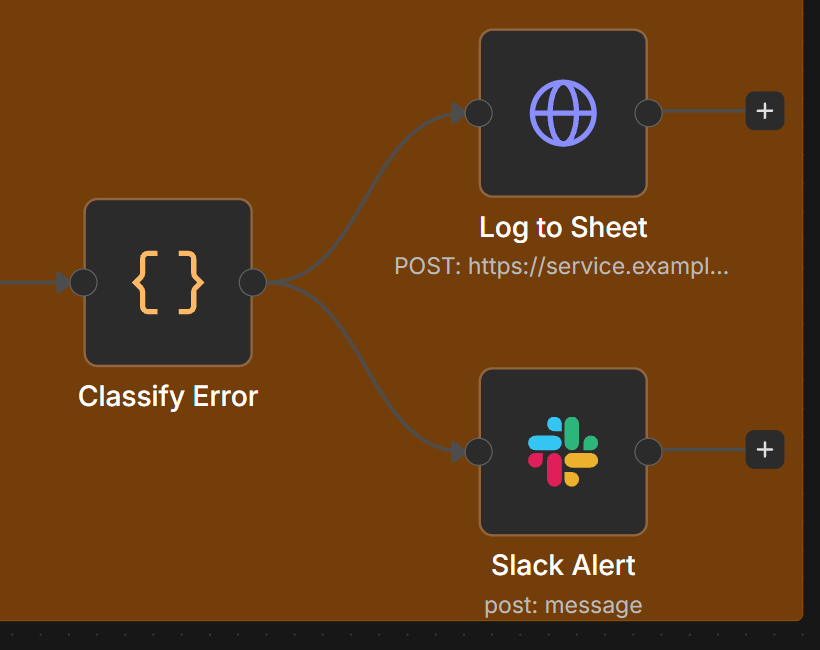
Deterministic native-source crop. Local import, inactive and never executed.
Makes failure investigation and responsibility easier to coordinate, with the context needed to decide the next recovery action.
12 nodes · 8 non-note nodes
Open read-only HTML explorer →Download explicitly sanitized review JSON
 n8n
n8n Slack
Slack React
ReactHistorical engagement documentation.
Native n8n imports are local and inactive, not production execution. Historical recording capture dates are unknown; a displayed report period is not its capture date. Local source review: October 27, 2026. Public release and client-material clearance remain separate.
Ahmad reports that the commissioning company lost approximately three clients in two months when automations broke. That is the reason for the system, not proof that the same amount was subsequently saved. The recovered source shows how failures are collected, classified and put in front of the team.
The original creator workflow uses a schedule or webhook, fetches failed n8n executions, filters recent failures and excludes its own runs. The local capture shows that actual source topology, imported without credentials and never executed.
The source classifies failures into seven categories with severity and a suggested next step. Log to Sheet is an HTTP Request to the Google Sheets API, followed by the Slack alert path. A native Google Sheets node is not required for that logging step.
The broader ErrorLens interface adds the review surface: filters, incident detail, an owner and a local resolved state. An alert or a local resolved flag does not prove the affected business record was repaired. The responsible person still checks the destination.
n8nSlackRecovered workflow includes Code, HTTP, schedule, webhook, Slack and Sheets logging structure.
ReactReconstructed interface with incident records.
| View | Provenance and limitation | Evidence class |
|---|---|---|
| Fig. 1 | ErrorLens incident overview Local interface with incidents; not current client failures. | Product interface |
| Fig. 2 | Filtered incident queue Local filters and incident records. | Product interface |
| Fig. 3 | Owned incident detail Local ownership and resolved-state controls do not prove destination repair. | Product interface |
| Fig. 4 | Original ErrorLens monitoring workflow in n8n Published creator JSON imported into the local editor. Inactive; no credentials or executions. | Local import only |
| Fig. 5 | Monitoring classification and logging branch Native local source detail. Log to Sheet uses the Google Sheets HTTP API. | Local import only |
| Fig. 6 | Error classification, Sheets logging and Slack alert Deterministic native-source crop. Local import, inactive and never executed. | Local import only |
Historical engagement documentation.
Native n8n imports are local and inactive, not production execution. Historical recording capture dates are unknown; a displayed report period is not its capture date. Local source review: October 27, 2026. Public release and client-material clearance remain separate.
Reviewed: 2026-10-27
Bring one workflow and the output the next person needs. Define its inputs, review decision and completion check before agreeing implementation scope.