ErrorLens makes workflow failures reviewable: collect execution details, classify the error, log it and alert the responsible team instead of discovering the break through a lost client.
3 clients / 2 months; reported lost after automation failures before this build. Owner-reported pre-build problem context, not a measured retention or savings result.
18 clients / year; only if the same reported loss rate repeated. Linear exposure scenario: 3 clients × six two-month periods. Not clients retained or revenue saved after this build.
The failure had a business cost
Ahmad reports that the commissioning company lost approximately three clients in two months when automations broke. That is the reason for the system, not proof that the same amount was subsequently saved. The recovered source shows how failures are collected, classified and put in front of the team.
Collect the failure before asking someone to fix it
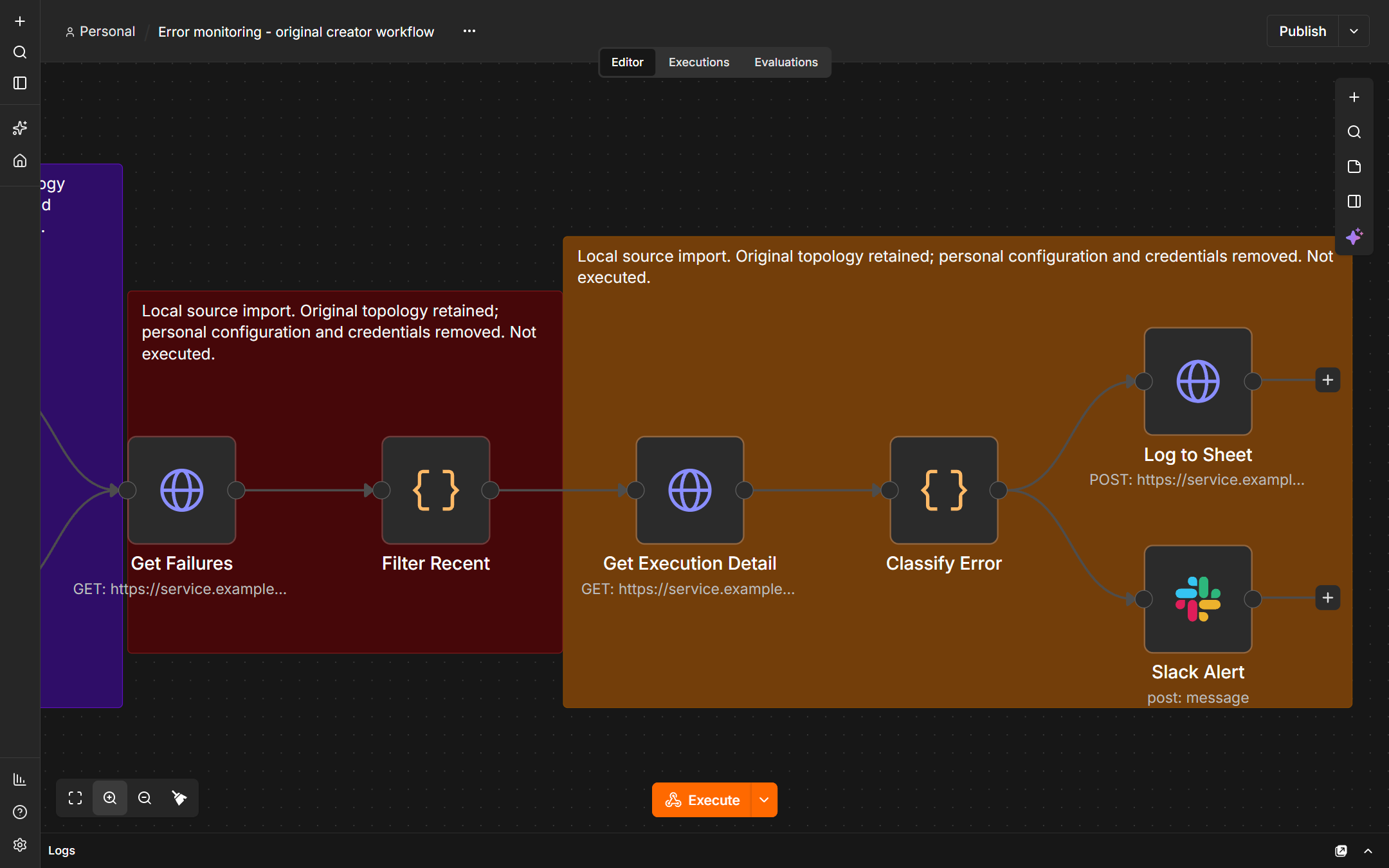
The original creator workflow uses a schedule or webhook, fetches failed n8n executions, filters recent failures and excludes its own runs. The local capture shows that actual source topology, imported without credentials and never executed.
Classify, log and alert
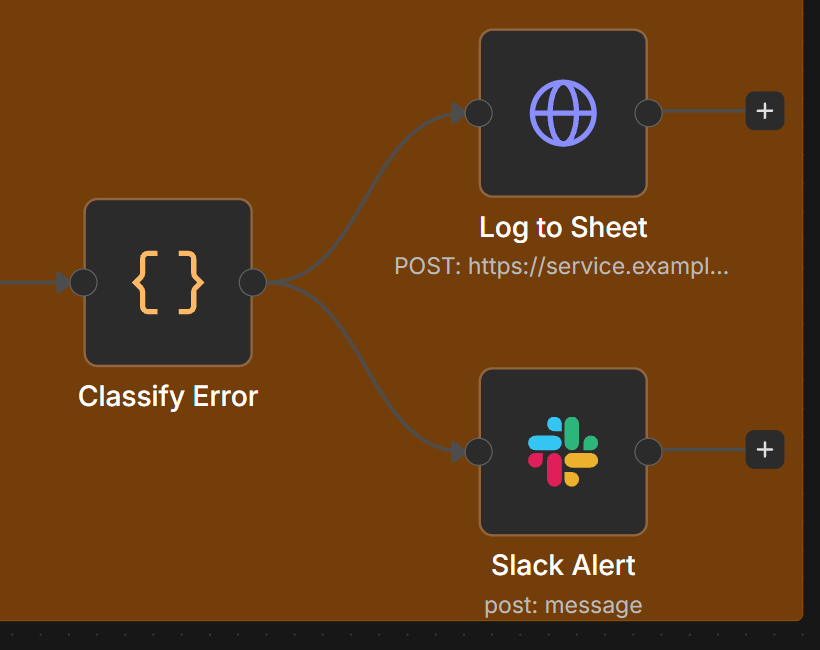
The source classifies failures into seven categories with severity and a suggested next step. Log to Sheet is an HTTP Request to the Google Sheets API, followed by the Slack alert path. A native Google Sheets node is not required for that logging step.
Make recovery a human-owned decision
The broader ErrorLens interface adds the review surface: filters, incident detail, an owner and a local resolved state. An alert or a local resolved flag does not prove the affected business record was repaired. The responsible person still checks the destination.
Source: Original published creator workflow JSON https://api.n8n.io/api/workflows/templates/14964
Supporting views
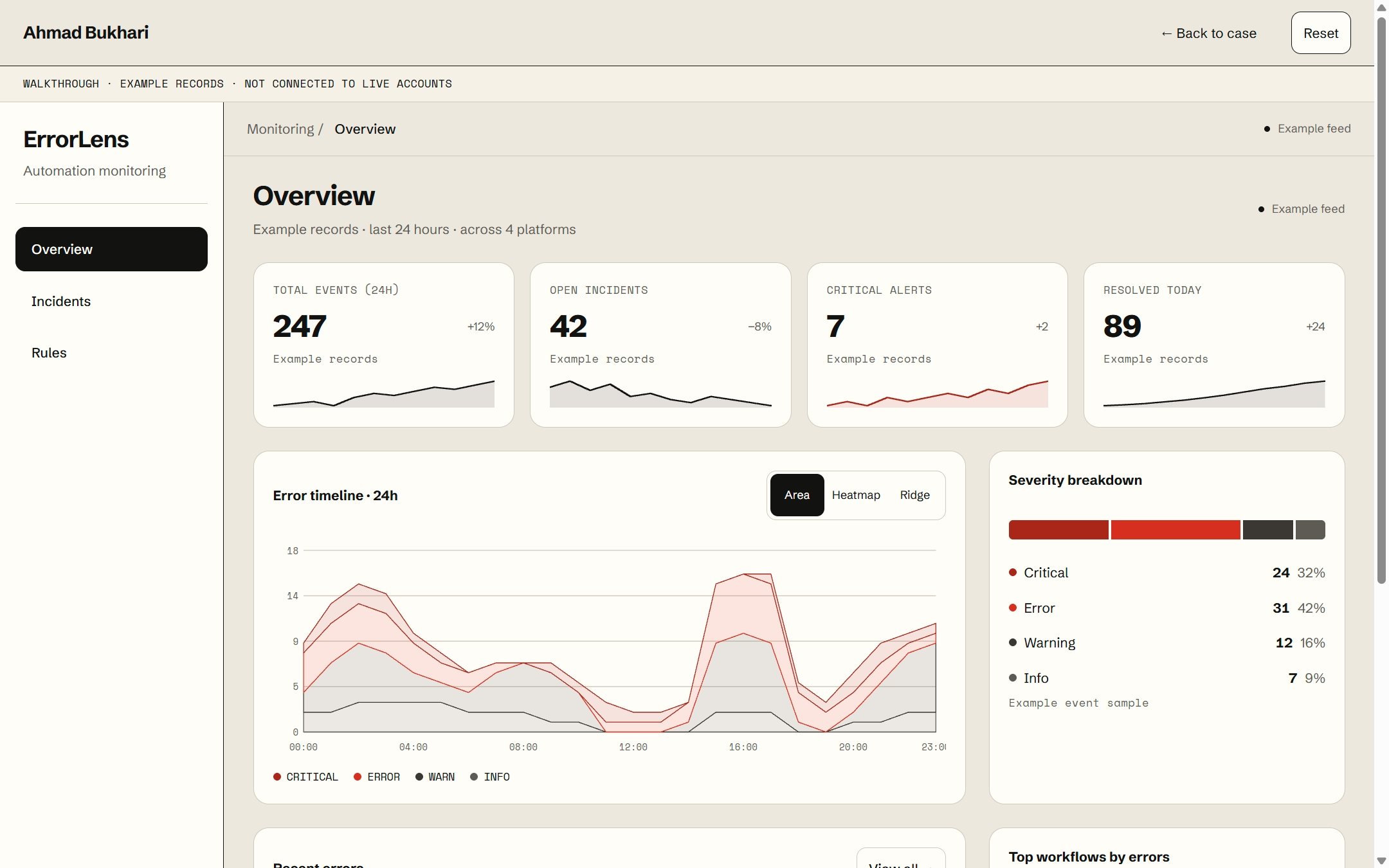
About this view
Local interface with incidents; not current client failures.
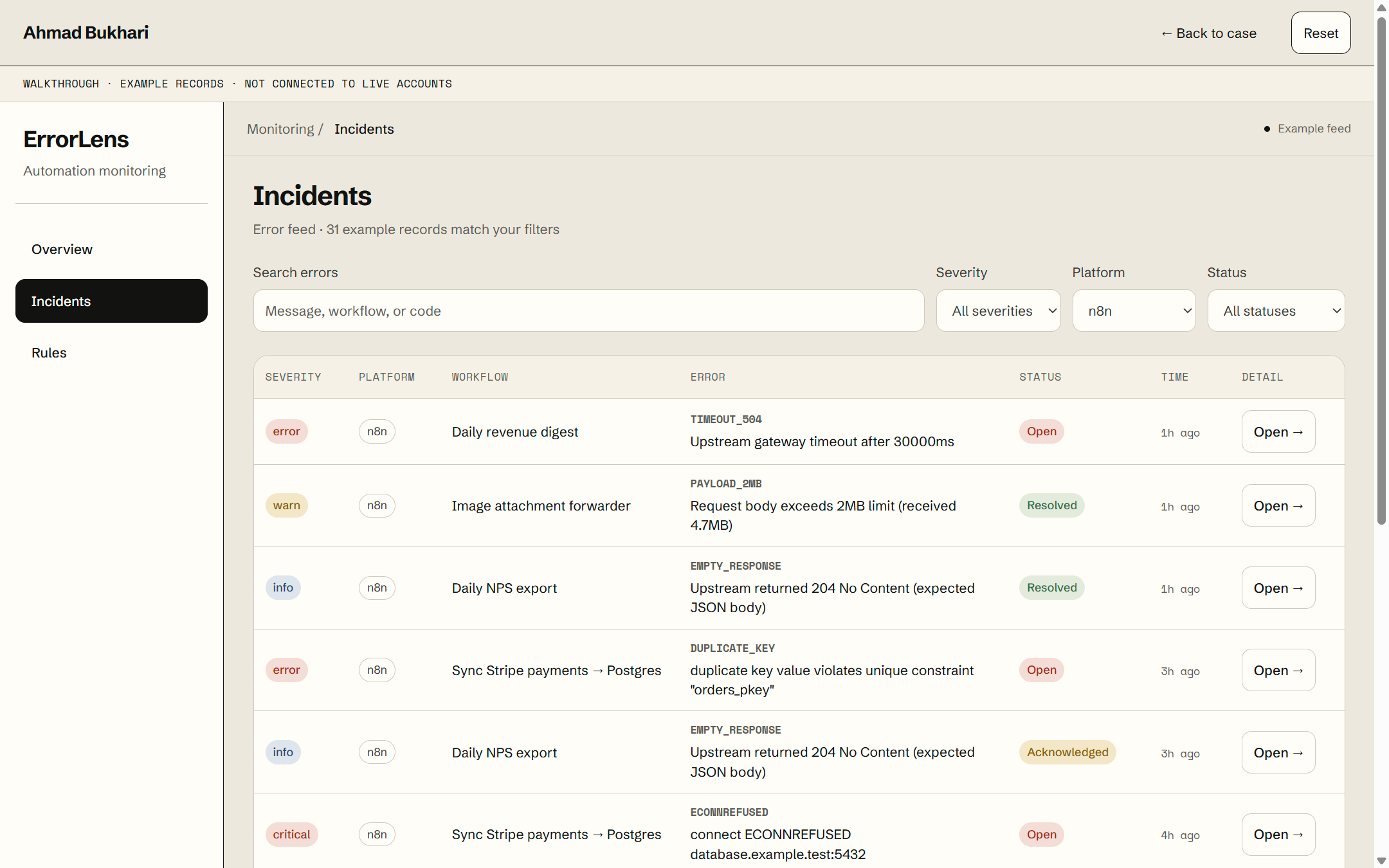
About this view
Local filters and incident records.
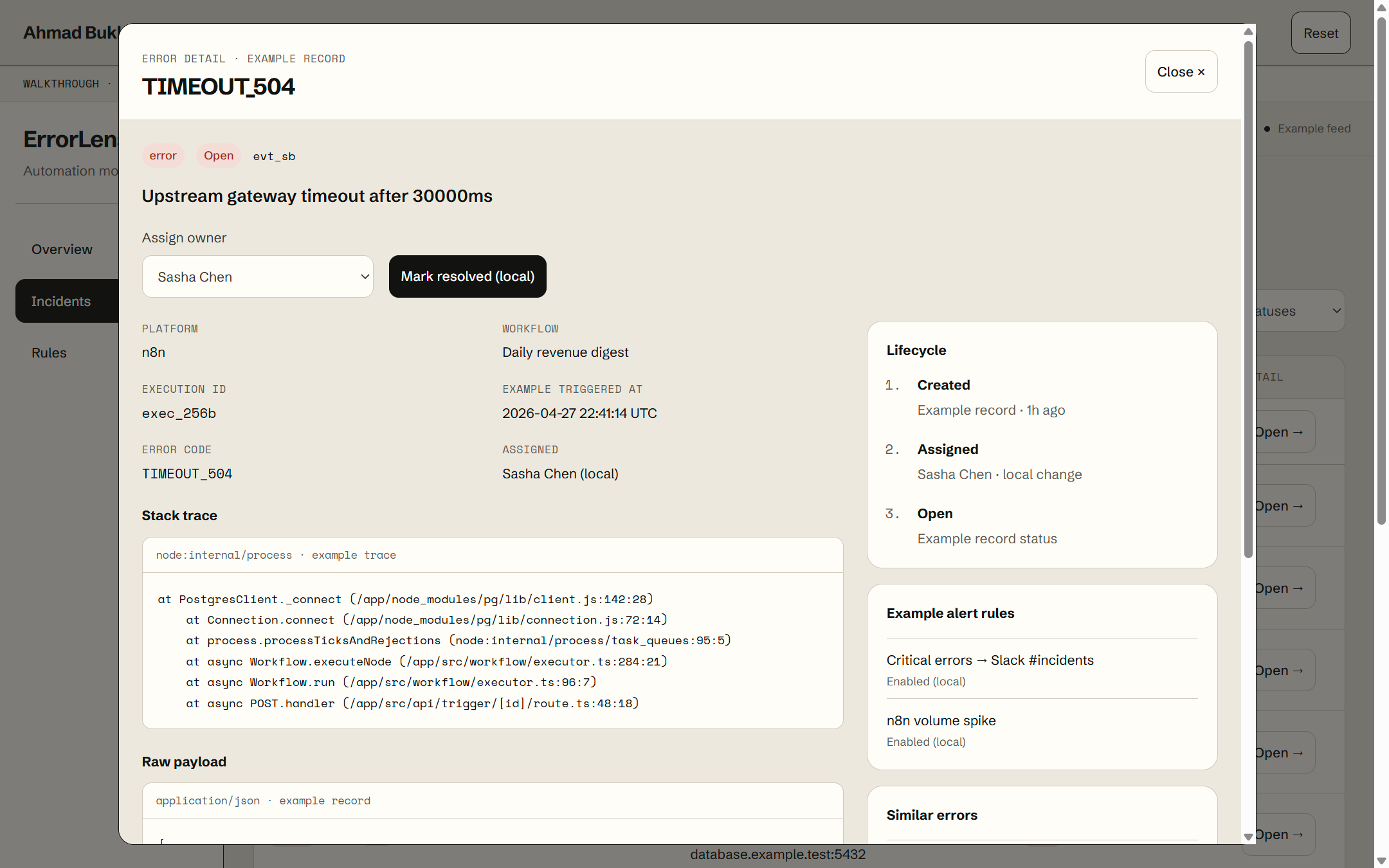
About this view
Local ownership and resolved-state controls do not prove destination repair.
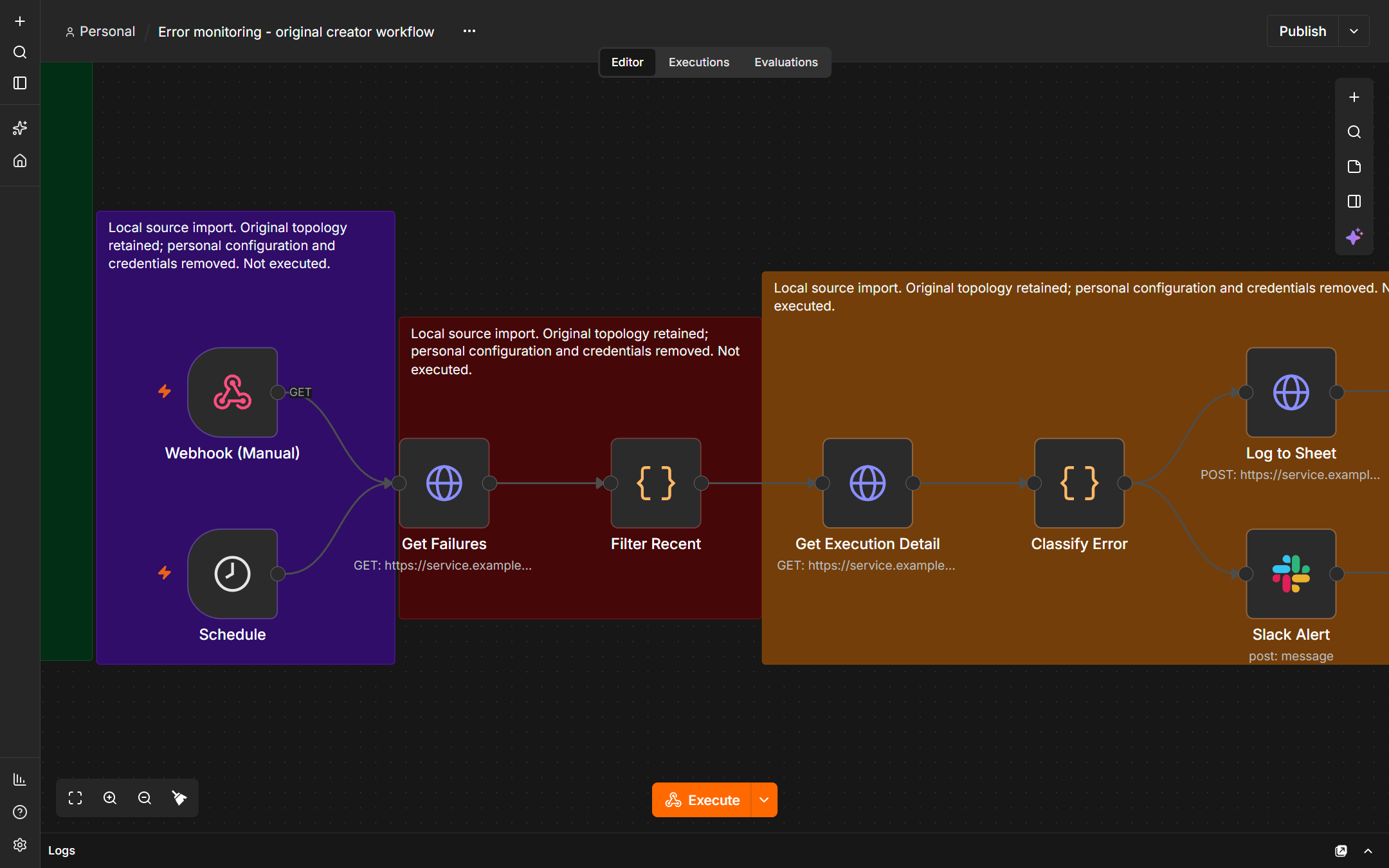
About this view
Published creator JSON imported into the local editor. Inactive; no credentials or executions.
About this view
Native local source detail. Log to Sheet uses the Google Sheets HTTP API.
About this view
Deterministic native-source crop. Local import, inactive and never executed.